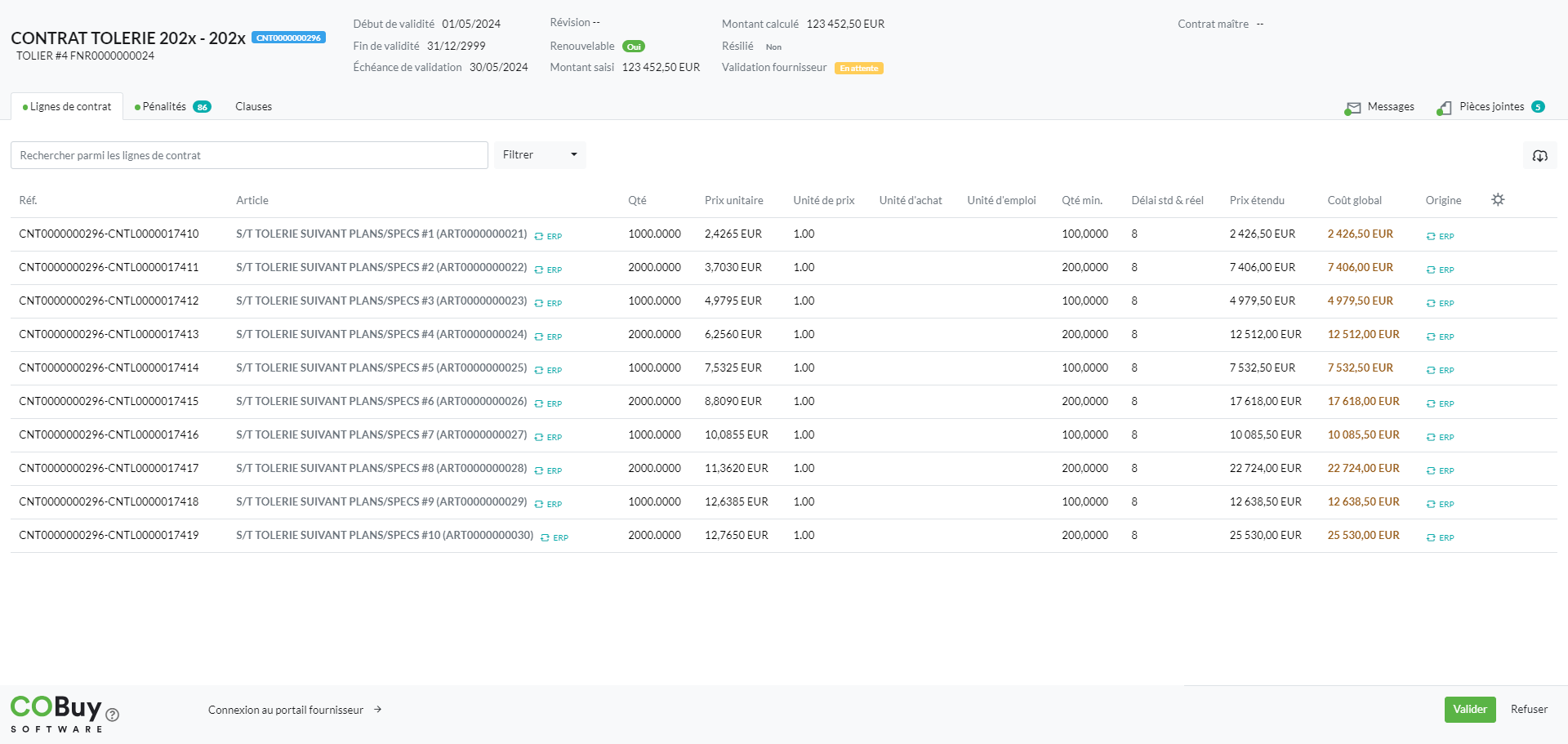
You have received an email from your customer notifying you of a contract to be validated. A click on the link included in the email will allow you to access the contract form:
Before validating the contract, you can, from the “Contract lines” tab, consult the assigned items with the associated conditions (quantity, price, lead time, etc.). You can download the contract lines in Excel format with the “Download” button
You can also read the applicable clauses from the “Clauses” tab
Finally, you can read the documents related to the contract in the “Attachments” tab (each document is downloadable)
To validate the contract, click on the “Validate” button located at the bottom right of the screen (same for refusing the contract with the possibility of entering a comment to share the explanation). In both cases, the buyer will receive a notification in response to their request for contract validation.