Some purchasing or quality processes require documents to be made available to the buyer on a regular basis (ISO certification, liability insurance certificate, technical data, regulatory compliance, ….).
How to update a document
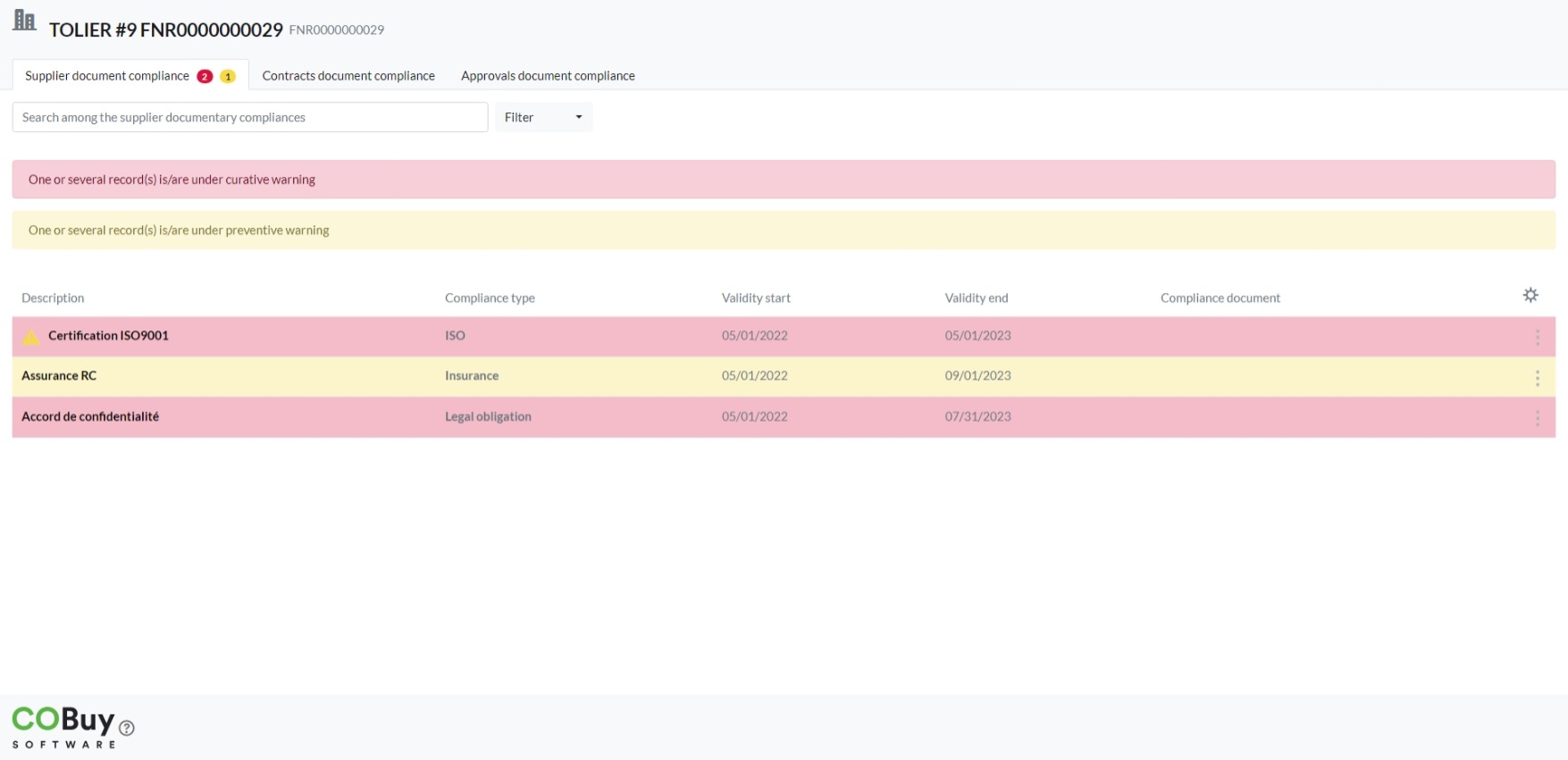
The link sent out in the e-mail notification provides access to all expired or soon to expire documents. To the right of each document is a bullet icon (3 vertical dots) which lets you update the document which will be submitted to the buyer for verification before validation.
Documents concerning your items homologation or sales agreement are available in the last two tabs.
When a yellow “exclamation point” icon appears to the left of the description of a document, it means that it is awaiting validation by your customer.